A player
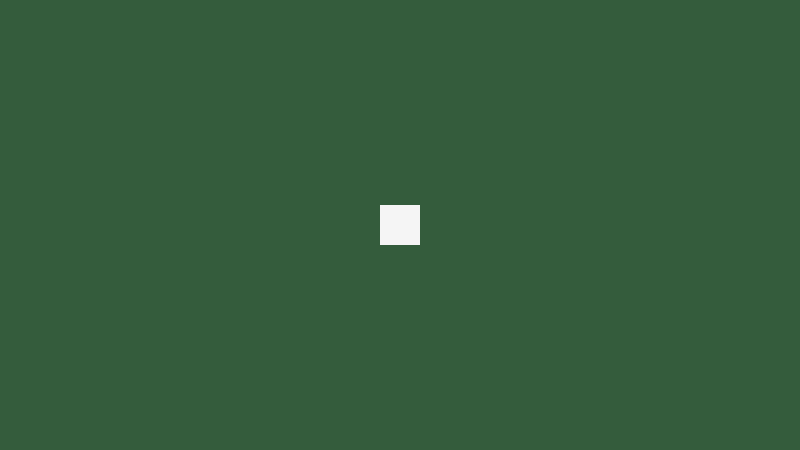
A scene holds objects: the player, a coin, an enemy, a bullet are all the same kind of thing, and what makes them different is what you put in them. This page puts the first one in the game, a box for now, that moves with the keyboard, a gamepad, the mouse or a finger.
An object#
The player gets a class of its own, because it has a few things to say about itself. Objects go in a folder of their own, beside the scenes, as the names of the two new files say:
#pragma once
// The rabbit: what it looks like, what it collides as, and how it moves.

#include <rmp/object.h>

class Player : public rmp::Object {
public:
    void _ready() override;
    void _update(float delta) override;
};#include "player.h"
#include <rmp/behavior.h>
#include <rmp/input.h>
#include <rmp/math.h>
namespace {
constexpr float SPEED = 260; // design units per second
} // namespace
void Player::_ready() {
// A white box until it has a picture.
shape = rmp::rect({ 40, 40 });
shape.color = RAYWHITE;
// Eight directions, from the keyboard, a d-pad or a stick.
add<rmp::behavior::TopDown>({ .speed = SPEED });
}
void Player::_update(float /*delta*/) {
// The mouse held down, or a finger on the screen: run towards it. Not when
// the pointer is on a button, which is the interface's and not the game's.
if (rmp::input::pointer_down() && !rmp::input::consumed_pointer()) {
const Vector2 to = rmp::input::pointer() - position;
if (Vector2Length(to) > 8) velocity = Vector2Normalize(to) * SPEED;
}
}An rmp::Object is mostly public fields that you
read and write directly: position,
velocity,
shape, and so on. There is no getter in front
of them because there is nothing for one to do. position is the object's
centre, unlike raylib, which draws from the top-left corner: the centre is what a
rotation turns about and what a distance is measured from, so nothing has to be corrected by half
a size.
An object draws its shape when it has no picture: here a white box, 40 units a
side. The picture comes later, and nothing else about the player will change when it does.
It has the same kind of hooks as a scene. _ready()
runs once, as soon as the object is in its scene; _update()
runs every frame.
A behavior#
Moving in eight directions from the keyboard, the d-pad and the stick is not something to
write by hand, so the player adds a behavior from the catalogue that does it:
rmp::behavior::TopDown. A behavior is a
plain struct, and its fields are its settings, written with designated initialisers:
{ .speed = SPEED }. It reads the input, sets the object's velocity, and the
framework moves the object by its velocity every frame. Going diagonally is not faster than
going straight, which is the bug in most hand-written movement.
The fields stay live after add():
get<rmp::behavior::TopDown>()->speed = 400 would be a power-up.
The mouse, or a finger#
_update() adds the one thing TopDown does not do: while the mouse
button is held, or a finger is on the screen, the player runs towards it. The framework treats the
mouse and a touch as one pointer, which is what lets the same code run on a desktop and on a
phone without an #if.
rmp::input::pointer_down()is the mouse button, or a finger, held down.rmp::input::consumed_pointer()is true while the pointer belongs to someone else: a button or a panel of the interface under it, or a scene on top of this one. Without it, pressing a button on screen would also send the player running towards it.rmp::input::pointer()is where it is, in the same units asposition, whatever the camera is doing.
The arithmetic on Vector2 comes from raylib's own raymath.h, which
<rmp/math.h> includes: the operators - and *, and
Vector2Length() and Vector2Normalize(). The object's own
_update() runs after its behaviors' and before it is moved, so the velocity it sets
is the one used.
Actions#
TopDown does not read keys. It reads actions: a name with any number of
keys and buttons bound to it. These come defined:
| Action | Keyboard | Gamepad |
|---|---|---|
move_left | A, Left | d-pad left, left stick |
move_right | D, Right | d-pad right, left stick |
move_up | W, Up | d-pad up, left stick |
move_down | S, Down | d-pad down, left stick |
ui_accept | Enter, Space | bottom face button |
ui_cancel | Escape | right face button |
The game defines one more, in the game scene below:
rmp::input::action("pause", KEY_P, KEY_ESCAPE, GAMEPAD_BUTTON_MIDDLE_RIGHT);The
type of each binding says which device it belongs to, so keys, mouse buttons, gamepad buttons and
half of a stick, made with rmp::input::stick(),
can share one list, and a value of any other type, a plain number for one, does not compile.
Defining a name again replaces it,
which is why rmp::input::action() can sit in a
scene's _ready() and run every time the scene starts.
The game then asks for the action by name, with
rmp::input::just_pressed("pause"), true on
the frame it goes down. Asked by name, an action is quiet whenever something else has the input:
a text field being typed in, or a scene on top of this one. That is what stops the key that closes
a menu from also doing something in the game underneath.
Escape is the game's to bind, with
nothing more to write. raylib makes it the key that closes the window, and in a game it is the
key for "back" and "pause", so the framework takes it back from raylib as the game starts. The
window's close button still closes the game; a game that wants a key to quit calls
rmp::app::quit() when that key is pressed.
The game scene#
The game scene now has a player in it instead of the text. Replace both of its files:
#pragma once
// The game: the player, in an arena the size of the design resolution.

#include <rmp/scene.h>

class GameScene : public rmp::Scene {
public:
    void _ready() override;
    void _update(float delta) override;
};#include "game.h"
#include "../objects/player.h"
#include "main_menu.h"
#include <rmp/input.h>
namespace {
// The arena is the design resolution: [window] width and height in the .toml.
constexpr Rectangle ARENA{ 0, 0, RMP_WINDOW_WIDTH, RMP_WINDOW_HEIGHT };
} // namespace
void GameScene::_ready() {
background = Color{ 52, 92, 60, 255 }; // grass
// P, Escape, or the gamepad's Start button.
rmp::input::action("pause", KEY_P, KEY_ESCAPE, GAMEPAD_BUTTON_MIDDLE_RIGHT);
spawn<Player>({
.position = { ARENA.width / 2, ARENA.height / 2 },
.edges = rmp::Edge::CLAMP,
.bounds = ARENA,
});
}
void GameScene::_update(float /*delta*/) {
// There is no pause menu yet, so for now "pause" goes back to the menu.
if (rmp::input::just_pressed("pause")) rmp::Scene::change<MainMenuScene>();
}spawn<Player>() makes a
Player, puts it in the scene, and calls its _ready(). The scene owns it
from then on: it is updated and drawn with the scene, and it goes when the scene goes. The braces
are its starting values, which spawn() applies before _ready() runs.
The arena is the size the .toml gives the window, [window]
width and height, which reach the code as
RMP_WINDOW_WIDTH and RMP_WINDOW_HEIGHT. The player is centred in it,
and .edges = rmp::Edge::CLAMP with .bounds = ARENA stops it at the
arena's edges.
The window is resizable,
though, and a phone's screen is whatever size it is. The scene's
camera decides what part of the world is on
screen, and it starts centred on the arena. On a window of another size it does what
[window] stretch in the .toml says, and rmp new wrote
"letterbox" there: the arena is scaled to fit the window and centred in it, with bars
of the clear colour around it, so the whole arena is in view at any size and either way round, and
nothing in the game says so. The menu needed none of this either: the interface scales on its
own.
background is the colour the frame is
cleared with. There is no pause menu yet, so for now pause goes back to the menu.
Run it#
rmp runPlay, and the box moves with WASD, the arrows, a gamepad, or the mouse held down, and stops at the edges. Make the window bigger and the arena grows with it. P or Escape goes back to the menu.
The manual has a chapter for each thing this page touched: Objects, Behaviors, Input and the Camera.