Interface
rmp::ui is the interface layer: menus, HUDs,
dialogs and settings screens. A main menu is three calls between a begin() and an
end(), and it comes out centred, sized for the screen it is on, and playable with a
mouse, a finger, a keyboard or a gamepad without a line about any of them.
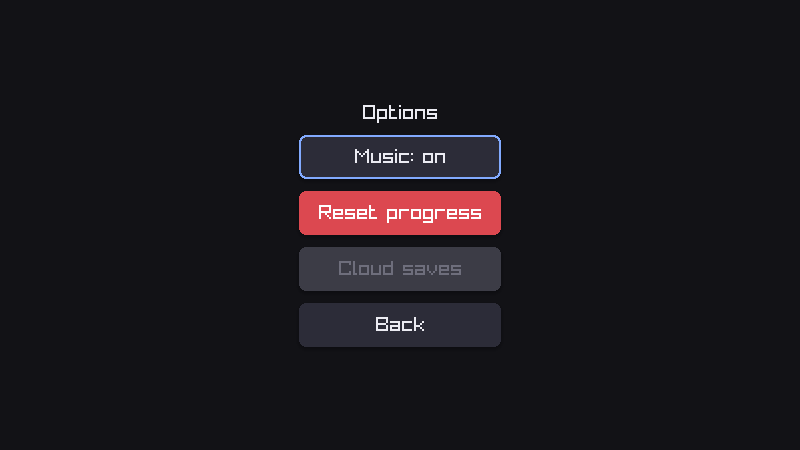
rmp::ui::begin();
if (rmp::ui::button("Play")) play();
if (rmp::ui::button("Quit")) quit();
rmp::ui::end();
No coordinates, no sizes, no fonts and no hit boxes. Everything else on these pages is what you reach for when the default is not what you want, and you only meet it when you do:
- Interface layout — rows, columns, panels, grids, scrolling lists, and how big each thing is.
- Interface controls — checkboxes, sliders, dropdowns and text fields, which write straight into your variables.
- Interface style — themes, variants, sizes, breakpoints and fonts.
Two ways to write it#
The same interface can be written two ways, and a game uses either, or both on one screen. The simple way is a call each frame that draws the control and answers what happened to it — nothing to keep, nothing to set up. The full way keeps each widget as a member of your scene, the way a Godot scene keeps its nodes: set up once, with its text, its look, its sounds and what to run when it is clicked, hovered or focused, and shown each frame where it goes. Both are drawn by the same code, so they lay out, navigate and look the same:
rmp::ui::begin();
if (rmp::ui::button("Play")) play();
if (rmp::ui::button("Quit")) quit();
rmp::ui::end();rmp::ui::Button start{ .text = "Play", .on_click = [] { play(); } };
rmp::ui::Button leave{ .text = "Quit", .on_click = [] { quit(); } };
void _draw() override {
rmp::ui::begin();
start.show();
leave.show();
rmp::ui::end();
}Start with the simple way; it is what most screens need. Reach for the full way when a screen is
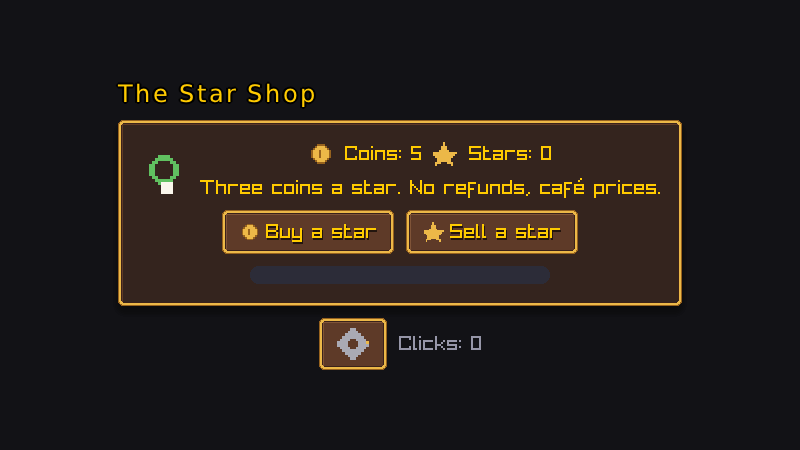
designed rather than written — a shop whose every button has its own picture, a dialog that shakes
when the password is wrong, an item that plays a sound when the pointer reaches it. Every control has
both: button() and Button,
text() and Label, image() and
Image, panel() and
Panel, checkbox() and
Checkbox, slider() and
Slider, dropdown() and
Dropdown, text_input() and
TextInput, progress() and
ProgressBar. The pages that follow show each
control both ways, side by side; widgets
you keep has every field and callback of the full one.
Immediate mode#
In the simple way there are no widget objects. A call to button()
both draws the button for this frame and answers whether it was pressed, and the next frame asks
again. What persists from one frame to the next is your data; what is rebuilt every frame is the
picture. So a menu that depends on the game's state is an if, and a label that changes
is a string you build where you call it:
rmp::ui::begin();
rmp::ui::text("Score: " + std::to_string(score));
if (has_save && rmp::ui::button("Continue")) load();
rmp::ui::end();
A temporary string is safe there. Every string handed to the interface is copied the moment it is
passed, into memory that lasts until the frame is drawn, so std::to_string(score) dying
at the end of the line changes nothing. That memory is a few kilobytes per frame; a frame that
somehow needs more has its labels cut short and the log says so once:
UI: text arena full (… bytes); labels are being truncated.
Where it goes#
In a game made of scenes, a scene's interface goes in its
_draw(). That hook runs in screen space after the
scene's map and objects have been drawn, so the interface sits on top of the world and stays put
while the camera moves:
class PauseScene : public rmp::Scene {
    void _draw() override {
        rmp::ui::begin();
        rmp::ui::text("Paused");
        if (rmp::ui::button("Resume")) rmp::Scene::pop();
        rmp::ui::end();
    }
};
The frame is cleared for you with the theme's background colour, unless the scene
sets background itself. A scene underneath
another one keeps drawing its interface when the scene on top lets it (see
what a scene lets through), and the
framework treats every scene's begin()/end() pair as part of one frame.
A game that runs its own loop with RMP_ENTRY_POINT calls the pair between
BeginDrawing() and EndDrawing(), after whatever the interface should sit on
top of, and clears the screen itself:
BeginDrawing();
ClearBackground(rmp::ui::current_theme().background);
draw_world();
rmp::ui::begin();
if (rmp::ui::button("Quit")) rmp::app::quit();
rmp::ui::end();
EndDrawing();
There is nothing to
start and nothing to stop. The interface starts itself on the first
begin() — by which time there is a window — so a game
that never draws an interface never allocates one, and the entry point shuts it down for you while
the window is still open. A begin() after
rmp::ui::shutdown() starts it again, the same way
the first one did.
The three rules#
That is all of them.
end()draws. Everything betweenbegin()andend()is laid out and drawn whenend()runs, so the pair goes where the drawing is: in_draw(), or betweenBeginDrawing()andEndDrawing().- Describe
it where it is drawn. In a scene's
_draw(), in screen space — not in_update(), which draws nothing, and not in an object's_draw(), which runs under the camera: a box that follows something in the world isat(). A call in the wrong place does nothing, and the log says so once: UI: rmp::ui::begin() in _update(): nothing is drawn while the world moves, so it did nothing. Pairs do not nest either. Abegin()before theend()of the one open says UI: rmp::ui::begin() while a frame is open: end() was not called, or begin() is inside a container -- column() is what goes there., and what follows it goes into the frame already open. A widget with no pair open draws nothing, returnsfalseand says UI: rmp::ui::button("Play") with no frame open, so it did nothing. - Interaction uses the previous frame's layout. When
button("Play")has to answer, this frame's layout does not exist yet — it is computed inend()— so the button is hit-tested against where it was last frame. A control cannot be clicked on the very first frame it appears, which is 16 ms at 60 frames a second, and while the interface is moving the place you can click trails what you see by one frame.
The third rule is the cost of immediate mode, and the alternative is worse. Laying the interface
out twice per frame would mean running your code twice, and a score++ inside a button's
if would count double.
Each
begin()/end() pair is a pass, and a frame can hold several: a HUD
and the pause menu over it, a screen and the overlay() in front of
it. In a game of scenes each scene's _draw() has its own; a frame hook of your own, with
RMP_ENTRY_POINT, can draw several too, and they are one frame of the interface.
Buttons and text#
rmp::ui::button returns true on the
frame it is pressed: the pointer released over it, having been pressed on it — press, drag off and
let go, and nothing happens — or, while it has the focus, Enter, Space or the gamepad's bottom face
button. It reads the way it looks:
if (rmp::ui::button("Start", { .style = rmp::ui::Variant::PRIMARY }))
    start_game();
if (rmp::ui::button("Delete save",
                    { .style = rmp::ui::Variant::DANGER, .enabled = has_save }))
delete_save();rmp::ui::Button start{ .text = "Start",
.variant = rmp::ui::Variant::PRIMARY,
.on_click = [] { start_game(); } };
rmp::ui::Button erase{ .text = "Delete save",
.variant = rmp::ui::Variant::DANGER,
.on_click = [] { delete_save(); } };
void _draw() override {
erase.enabled = has_save;
rmp::ui::begin();
start.show();
erase.show();
rmp::ui::end();
}ButtonOptions has four fields, written in
this order:
| Field | Default | Means |
|---|---|---|
style | Variant::NORMAL | What the button means — normal, primary, danger, outline, ghost. The theme decides what that looks like; see variants. |
size | the theme's | Size::SMALL, MEDIUM or LARGE, or a number of design units. See sizes. |
enabled | true | false draws it in the theme's disabled colours; it cannot be pressed and the focus skips it. |
id | none | A name that stays the same whatever the label says. See labels are ids. |
The order
matters, because C++20 requires designated initialisers in declaration order:
{ .style = …, .enabled = false } is right, and { .enabled = false, .style = … }
does not compile. GCC and MSVC refuse it on their own; Clang only warns, so wherever Clang compiles a
game the framework adds -Werror=reorder-init-list — in the CMake builds, on Android and
in the generated iOS project — and the mistake fails on the machine that made it, not later on
another compiler. Every options struct in rmp::ui is ordered
the way its fields are most likely to be written, so the order you would write them in is usually
the one that compiles; when a compiler complains about designator order, that is what it means.
A button fills the width it is offered. In begin()'s column that is the width of the
widest thing in it, which is why the buttons of a menu come out the same width without anyone
measuring anything; in a row, the buttons share the row; in a frame opened to
fill the window, it is the window's
width less the padding. Its height is at least the theme's
min_touch_size — 44 design units, a
target a thumb can hit — scaled with its type size.
A button that is a picture — an icon, a slot, a "Play" the artist drew — is
rmp::ui::image_button,
pressed the same way. A screen where every button has its own look, icon, sounds and callbacks is
easier with widgets you keep, and a
look for every button of the game is a style in the
theme; neither changes a line of a menu written the simple way.
rmp::ui::text draws a string, in one of the theme's
colours, at one of its sizes:
rmp::ui::text("Game over", { .size = rmp::ui::Size::LARGE });
rmp::ui::text("Progress since the last save is lost.",
              { .color = rmp::ui::ColorRole::MUTED });
rmp::ui::text("v1.0.2", { .color = rmp::ui::ColorRole::MUTED,
.size = 14, .wrap = false });rmp::ui::Label title{ .text = "Game over", .size = rmp::ui::Size::LARGE };
rmp::ui::Label lost{ .text = "Progress since the last save is lost.",
.color = rmp::ui::ColorRole::MUTED };
rmp::ui::Label version{ .text = "v1.0.2", .color = rmp::ui::ColorRole::MUTED,
.size = 14, .wrap = false };
void _draw() override {
rmp::ui::begin();
title.show();
lost.show();
version.show();
rmp::ui::end();
}TextOptions is
color — a
ColorRole, not a colour —
size and
wrap. With wrap on, the
default, a line too long for the space it is given breaks between words; off, it is never broken.
Labels are ids#
The interface keeps a little state of its own about each control: whether the pointer is over it,
whether a press started on it, whether it has the focus, the colour it is fading towards, whether a
dropdown is open. It finds that state again every frame by the control's label. Two controls with the
same label in one begin()/end() are told apart by their order — the second
"Back" is a different control from the first — so the common case needs nothing.
Order is what breaks when the interface is conditional. A control that appears or disappears
before others with the same label renumbers them, and the hover, the focus or the fade moves to a
different control with nothing in your code having changed. The
id field is the escape: a name that is the same control whatever else is on screen.
for (int i = 0; i < 3; ++i) {
    if (!slots[i].used) continue;
    rmp::ui::text(slots[i].name);
    const std::string id = "erase" + std::to_string(i);
    if (rmp::ui::button("Erase", { .id = id })) erase(i);
}
A label that changes is a new control each time it does. A button that reads "Music: on"
and then "Music: off" loses the focus when it is pressed from the keyboard, because the control that
had it is gone, and the focus goes back to the first control on the screen. An id keeps it
the same control:
if (rmp::ui::button(music ? "Music: on" : "Music: off", { .id = "music" })) music = !music;Containers have no id unless you give them one; see naming a container.
Focus, keyboard and gamepad#
Every control is focusable, in the order it is declared, and nothing in your code asks for it. The widgets you already wrote can be played with a keyboard or a gamepad:
| Does | Keyboard | Gamepad |
|---|---|---|
| Next control | Tab, Down | d-pad down, left stick down |
| Previous control | Shift+Tab, Up | d-pad up, left stick up |
| Press, tick, open | Enter, keypad Enter, Space | bottom face button |
| Back out of a text field or an open list | Escape | right face button |
| Move a slider | Left, Right | d-pad left and right, left stick |
Past the last control the focus wraps to the first, and holding a direction walks the list after a short pause. These keys are read by the interface itself, from raylib; they are not rmp::input actions, and redefining an action does not change them. The focus moves between controls of the previous frame, for the same reason hit testing does.
Two controls use the keys a little differently, and their sections say how. A text field types only once it has the keyboard, which is not the same as having the focus, and Tab, Up and Down leave it like any other control. An open dropdown takes Up and Down for its own items. Escape backs out and nothing more: raylib's habit of closing the window on it is switched off by the entry point (see the Escape key).
Nothing to start#
A screen that declares something focusable and has nothing focused gives the focus to its first control. A game-over scene with one "Play again" button on it answers Enter and the gamepad's bottom button the moment it appears. The one exception is a HUD over a game being played, whose keys are the game's: see a button in the HUD.
Having the focus and showing it are two things. The focus ring — the theme's
focus colour,
focus_ring design units wide — appears once
the player touches the keyboard or the gamepad, and goes away again on a click. Someone playing with
a mouse does not find an outline on the first button of every menu; someone with a controller sees
where they are as soon as they reach for it.
Moving it yourself#
A screen does not need to put the focus anywhere: its first control already has it.
rmp::ui::focus() is for starting somewhere else. It
gives the focus to a control by its label or by the id it was given, and shows the ring
straight away, because you asked for it; a text field given the focus this way also takes the
keyboard. An empty string clears it, and by the rule above the screen's first control then takes it.
rmp::ui::focused() names what has it, or gives
"".
The place to call it is the scene's
_ready(), once. Between frames there is no interface being described to look the name up
in, so the name waits: the next frame that draws controls gives the focus to the first one carrying
it, in whichever scene draws it. focused() answers with the name at once. If that frame
draws controls and none of them has the name, the request is dropped and the screen keeps its own
first control, rather than lying in wait for a control with that label to turn up later.
void _ready() override {
    rmp::ui::focus("Continue"); // not the first button: the one the player most likely wants
}

void _draw() override {
    rmp::ui::begin();
    rmp::ui::button("New game");
    rmp::ui::button("Continue");
    rmp::ui::end();
}
Called
inside a begin()/end() pair, it looks the label up among the controls of
that pair, so it goes before the control it names.
rmp::ui::set_navigation_enabled(false)
turns keyboard and gamepad handling off, for a game that drives the focus itself;
navigation_enabled() says whether it is on.
It starts on. With it off, clicks and taps still work but no control has the focus, so Enter, Space
and the gamepad press nothing. A text field still types when it is clicked, and stops on Enter,
Escape or a click elsewhere, because those are read whether navigation is on or not. Turning it off
also hands back the keys of a HUD the player walked into with Tab.
Scenes on top of scenes#
When two scenes draw, the one on top holds the focus. A scene underneath that input cannot reach
— the scene above left input_below at
false — is drawn exactly as usual, and nothing in it can be hovered, focused or clicked:
a HUD under an open pause menu is visible and inert, and neither scene says so.
When the scene on
top sets input_below, both scenes' controls are one list: the one underneath can hold the
focus, and the arrows walk up out of it into the scene above and back down. A scene whose interface
is drawn first does not claim a focus that was on screen last frame, because a scene drawn after it
may be about to declare that control; only when no scene does is the focus handed on.
A button in the HUD#
The
scene the player plays in reads its own keys, and Space there is a jump, not a press of the HUD's
first button. So a scene that reads any of the keys the interface navigates with — Enter, Space,
the arrows, Tab, the d-pad, the gamepad's bottom face button, the left stick — through
rmp::input, in its own _update() or in its
objects' and their behaviors', is taken for a game being played, and its interface for a HUD over
it. The HUD's controls take no focus by themselves, and those keys stay the game's. The pointer
presses them as always, which is what a Pause button is for on a phone that has no Escape:
class PauseScene : public rmp::Scene {
    void _draw() override {
        rmp::ui::overlay([] {
            if (rmp::ui::button("Resume")) rmp::Scene::pop();
        });
    }
};

class GameScene : public rmp::Scene {
    void _ready() override {
        rmp::input::action("jump", KEY_SPACE, GAMEPAD_BUTTON_RIGHT_FACE_DOWN);
    }
    void _update(float /*delta*/) override {
        if (rmp::input::just_pressed("jump")) jump(); // Space is the game's: Pause has no focus
    }
    void _draw() override {
        rmp::ui::begin({ .placement = rmp::ui::Align::TOP_RIGHT });
        if (rmp::ui::button("Pause")) rmp::Scene::push<PauseScene>();
        rmp::ui::end();
    }
};
Tab
walks into the HUD, and from there the arrows walk on as they do in any menu. While the player is in
it the keys are the interface's: wants_keyboard()
is true, and the game's keyboard and gamepad actions read nothing, so the arrow that moves the focus
does not move the player too. Escape, the gamepad's right face button or a click anywhere else hands
them back to the game. rmp::ui::focus() on a control of the HUD is the game choosing it,
as Tab would.
That
is a guess, made every frame from what the scene read in it — in a game without scenes, from what
the frame read — and two kinds of scene defeat it: one
that reads raylib's keys itself — IsKeyPressed(KEY_SPACE) — is never noticed, and one
that reads the arrows and still wants its interface to be a menu.
FrameOptions::focus_first says it
for them: false is a HUD whatever the scene reads, true a menu whose first
control takes the focus.
rmp::ui::begin({ .placement = rmp::ui::Align::TOP_RIGHT, .focus_first = false });
if (rmp::ui::button("Map")) open_map();
rmp::ui::end();
A pause scene pushed over the game usually reads none of those keys — Escape and the right face
button are not among them, so a pause on Escape stays a menu — and its first button takes the focus
like any menu's. An overlay() gives its first control the focus
whatever the scene under it reads.
Overlays#
A pause menu, a "Really quit?", a game-over card: something in front of everything else, with what
is behind it dimmed — or blurred — so that the eye goes where the player has to act.
rmp::ui::overlay() is that. It is a frame of its own:
it takes the place of a begin()/end() pair, and what it shows goes in the
function it is handed, as a container's contents do.
class PauseScene : public rmp::Scene {
    void _draw() override {
        rmp::ui::overlay({ .blur = 6, .dim = 0.4f }, [] {
            rmp::ui::text("Paused", { .size = rmp::ui::Size::LARGE });
            if (rmp::ui::button("Resume")) rmp::Scene::pop();
            if (rmp::ui::button("Quit")) rmp::app::quit();
        });
    }
};
Everything
drawn earlier in the frame is behind it, dimmed towards its veil colour and blurred when
asked; its own content is drawn on top of that, sharp. And it is modal without a word about it:
- The veil takes the pointer everywhere. A click outside the menu does not reach
the game, and
wants_pointer()is true wherever the pointer is — at adimof 0 too, where there is no veil to see. - What was drawn before it is inert. From the next frame, the interface described before it in the frame takes no input: the HUD behind a dialog cannot be hovered, focused or pressed.
- Its first control has the focus, so Enter and the gamepad's bottom face button press it the moment it appears, whatever the scene underneath reads.
OverlayOptions, in this order:
| Field | Default | Means |
|---|---|---|
placement | Align::CENTER | Where its content sits, as a frame's placement. |
blur | 0 | How far to blur what is underneath: the Gaussian's standard deviation in design units, as CSS's blur() means it. 0 is no blur, and costs one rectangle. |
dim | 0.45 | From 0 to 1: how far what is underneath goes towards veil. |
veil | black | The colour it is dimmed towards. |
A pause menu#
The pause menu above is a scene of its own, pushed over the game, and its whole
_draw() is one overlay. A pushed scene freezes the scene under it and leaves it on
screen — the defaults of what a scene
lets through — so the game stops where it was and shows through the veil, and
pop() carries on from there. Nothing about pausing is written anywhere.
A dialog#
There is no menu() and no dialog() to learn. A menu is the three calls at
the top of this page, and a dialog is an overlay with a
panel() in it. Drawn by the game scene itself, after its
own end(), it pushes nothing, so nothing stops: the game goes on behind the question,
and the overlay takes the clicks, the focus and Enter for as long as the scene draws it.
bool _asking = false; // "Really quit?" is on screen

void _draw() override {
    rmp::ui::begin({ .placement = rmp::ui::Align::TOP_RIGHT });
    if (rmp::ui::button("Quit")) _asking = true;
    rmp::ui::end();

    if (_asking) {
        rmp::ui::overlay({ .dim = 0.6f }, [&] {
            rmp::ui::panel([&] {
                rmp::ui::text("Really quit?");
                rmp::ui::row([&] {
                    if (rmp::ui::button("Stay")) _asking = false;
                    if (rmp::ui::button("Quit", { .style = rmp::ui::Variant::DANGER }))
                        rmp::app::quit();
                });
            });
        });
    }
}
What the dialog answers is the scene's to decide, here with a flag it keeps. Stay comes first, so Enter is the answer that loses nothing. The overlay example has both patterns: the pause, pushed and blurred, and this dialog, with the game moving behind it.
An overlay is a frame, so it goes after end(), never between begin() and
end(). Called there it says so once, UI: overlay() inside begin()/end() -- an
overlay is a frame of its own: call it after end(), or from the _draw() of a scene of its
own., and shows its content as a layer of the open frame, over the veil and without the
blur.
The blur#
The
blur is a real one on every GPU raylib drives, OpenGL ES 2.0 and WebGL included: the frame is drawn
into a texture, blurred at a fraction of its size and stretched back over the screen. Only a frame
after the one that asks is drawn into that texture, so an overlay's first frame has the veil alone,
and the blur eases in over the theme's
transition. Where no shader can run —
raylib's software renderer, OpenGL 1.1 and 2.1, a driver that refuses one — the veil comes alone, and
the log says why, once: UI: overlay() cannot blur here (raylib's software renderer has no
shaders); the veil comes alone. That is a fact about the machine and not a mistake in the
game, so [dev] strict does not stop for it.
Drawing
the frame into a texture from its first line is something only RMP_GAME's frame does. In
a frame hook of your own, with RMP_ENTRY_POINT, an overlay that asks for a blur shows the
veil alone and says so once. So does a scene that draws through a BeginTextureMode() of
its own under a blurred overlay: ending it sends the rest of the frame to the screen, so the blur goes
off and the veil stays. Draw that texture before the frame, or ask the overlay for no blur.
Boxes over the world#
rmp::ui::at() puts a box of the interface over a point of
the world — a health bar over an enemy, a name over a character, a button over a door — wherever the
scene's camera shows that point, zoomed, scrolled, shaken and stretched with it. It goes between
begin() and end() in the scene's _draw(), like everything
else here:
std::vector<rmp::Handle<Enemy>> _enemies;

void _draw() override {
    rmp::ui::begin();
    for (const rmp::Handle<Enemy> &e : _enemies) {
        if (e) rmp::ui::at(e->position, [&] { rmp::ui::progress(e->hp / 10.0f); });
    }
    rmp::ui::end();
}
The
point goes through the camera that drew the scene's world, so the box stays on the enemy however the
view moves, and the box takes no room in the column it is described in.
AtOptions says where it sits:
| Field | Default | Means |
|---|---|---|
anchor | Align::BOTTOM_CENTER | The point of the box that sits on the world position. The bottom centre puts the box above it, which is where a health bar or a name goes. |
offset | { 0, 0 } | Design units, after projecting: { 0, -8 } lifts the box clear of the sprite. |
id | none | A stable name for the box, as a container's id. |
What
a box paints does not take the pointer: a click on the enemy under its health bar is still the
enemy's, and wants_pointer() stays false over the bar. A control inside one is a control
like any other, hovered, pressed and focused where it is drawn. The boxes are drawn under the rest of
their pass, as the world they belong to is, so a health bar that walks under the HUD's panel goes
behind it; and a box is never narrower than the theme's min_touch_size, which gives a
progress bar in it a width to fill. Without scenes there is no camera, and the world is the
screen. The top-down game puts a bar over every enemy
this way.
A box goes with its point. While the point is off the screen the box is not drawn at all, not even the part that would still show, and nothing in it takes the pointer, the focus or the keys: a button over a character who has walked away is not a button anyone can press. Back on the screen it is a control again, and the e2e driver holds it to the window like any other.
Tooltips#
rmp::ui::tooltip() is a line about the control
declared just before it:
if (rmp::ui::button("Sell")) sell();
rmp::ui::tooltip("Gives you half of what it cost");
It shows while the pointer rests on that control, and at once while the keyboard's or the gamepad's focus is on it: a player walking a menu with a pad does not hover, and gets the same line. It floats in front of the rest of the frame, so it moves nothing; it stays on the screen, taking the other side when the one asked for would run off the edge; and a scroll area the control is in does not cut it. The text is copied, like every label.
| Field | Default | Means |
|---|---|---|
side | Align::TOP_CENTER | Which side of the control it appears on. |
delay | 0.5 | Seconds the pointer rests on the control before it shows. Infinity is never by the pointer: by the focus alone. |
One tooltip goes with one control. A tooltip with no control before it shows nothing, and says
UI: rmp::ui::tooltip("…") with no control declared just before it, so it is about nothing and
shows nothing. An empty text shows nothing and is no mistake, so
tooltip(item.description) needs no if for an item without one.
The inventory describes every item this way.
Notices#
rmp::ui::notify() puts a short message at the bottom
of the screen that goes away by itself — "Saved", "Achievement unlocked" — with nothing to close and
nothing in the layout moving to make room for it:
rmp::ui::notify("Saved");
rmp::ui::notify("Not saved: the disk refused it", { .color = rmp::ui::ColorRole::DANGER });
rmp::ui::notify("Achievement unlocked", { .seconds = 5 });
It
only queues a copy of the text, so it can be called from anywhere — _update(), a
callback, a frame that draws no interface. The framework draws what is queued after the last scene,
over everything, and a notice never takes the pointer or the focus.
NotifyOptions is
seconds on screen, 3 by default, at the
end of which it fades out, and the color
of the theme its text is painted in. The newest few are shown, one above the other.
In a frame hook of your own, with RMP_ENTRY_POINT, they are drawn over the frame's
first begin()/end() pair, there being no telling which end() is
the last; a frame of it that describes no interface draws none, and they wait, no older, for the next
one that does.
The framework's warnings, on screen#
In
a debug build the framework's own warnings arrive here too. A mistake in the game that it says once
in the log — an action nobody defined, a widget outside begin()/end(), a
tooltip about nothing — is also a notice, in the theme's danger colour, where it cannot scroll past
unread. A release build only logs them, and [dev] strict stops a debug build at the first
one instead. rmp test smoke holds a game to none at all: the framework reported a
mistake in the game (the WARNING lines above, said once each).
Telling the game to keep its hands off#
The interface reads the pointer and the keyboard itself, and the game reads them too. Two functions say when the game should leave them alone:
rmp::ui::wants_pointer()— the pointer is over something the interface paints, a slider is being dragged, or a dropdown's list is open.rmp::ui::wants_keyboard()— a text field has the keyboard and is typing. Having the focus is not enough: a field the player pressed Enter on keeps the focus and gives the keyboard back.
"Something the interface paints" is every control, every box with a background colour or a border — a panel, a progress bar, an open dropdown list — every image, and every scroll area, its empty part included but not where it has clipped its rows away. A click on a panel's background is the interface's, and does not fall through to the game behind it. Plain text with nothing behind it is the exception, on purpose: a score drawn over the game does not stop the game being clicked through it. An overlay's veil covers the whole screen, so while one is up the pointer is the interface's wherever it is; what a box over the world paints is the other way round, and lets the game have the pointer.
Both
can be asked before anything draws — in _update(), or above begin() — and
on the line after end(). Until the frame's first begin(),
wants_pointer() answers for where the pointer is now, against what the last frame
drew, so a finger that lands on a button without hovering over it first is the button's from the
frame it lands in, and the tap does not reach the game too; wants_keyboard() answers
for the field that was typing, which still is. From the frame's first begin() on,
both answer for what this frame draws.
In
a game of scenes, a frame in which no scene calls begin() ends with both false — a
pause menu that pops while the pointer is over one of its buttons does not leave the game's mouse
dead — except that a slider being dragged keeps wants_pointer() true until the
pointer comes up. A game that reads its
actions by name through rmp::input rarely calls them, because such a read already asks
them — the subject of who hears a press.
Wherever the game reads raylib's input directly, they are the check:
if (!rmp::ui::wants_pointer() && IsMouseButtonPressed(MOUSE_BUTTON_LEFT)) shoot();
if (!rmp::ui::wants_keyboard() && IsKeyDown(KEY_W)) walk();Touch#
raylib reports the first touch as the mouse, so a menu works on Android and iOS with no extra code. Three things change underneath on those two:
- Hover only while a finger is down. A touch screen has no pointer at rest, and the last place tapped would otherwise stay lit up.
- No button is shorter than
min_touch_size, even a small one: a small button on a phone is still pressed with a thumb. - The edges are kept clear.
begin()keeps 24 design units free at every edge of the screen, on top of its own padding, for the status bar and the notch —[android.display] into_cutoutdraws the game behind the notch, which is right for a background and wrong for a menu.
Scale and design units#
Every size in rmp::ui — a theme's padding, a panel's width, a text's size — is in
design units: pixels at the resolution [window] width and
height declare in raylib_multiplatform.toml. That block is the resolution
you design for, and the interface is drawn as if the window were that size. One number turns design
units into pixels:
scale = clamp(min(window width / [window] width, window height / [window] height), 0.5, 4)Designed at 800×450 and played at 1920×1080, everything is 2.4 times bigger; in a window of
1280×720, 1.6 times. It is min() and not max() because what does not fit is
worse than what is left over: the tighter side wins and the interface stays on screen. The clamp stops
the two absurd ends, a window too small to read and a monitor that turns a button into a
billboard.
That
scale is the interface's whatever [window]
stretch says. Under letterbox the interface also stays inside the game's
area: a frame, and an overlay's content, keep clear of the bars as they keep clear of a phone's notch,
and the breakpoint is the shape of
that area, the design's, whatever the window does.
What the scale cannot do is fit a screen that does not fit at the size you design for. It keeps the proportions, so a control laid out below the bottom edge at 800×450 is below it at 1920×1080 as well, where nobody can see it or click it. A screen with more on it than that is laid out in two columns, as the settings example is, or put in a scroll area, which the keyboard and the gamepad scroll by moving the focus.
Text follows the same scale: it is drawn at the pixel size the layout asks for, its size in design units times the scale. raylib's built-in font is a small bitmap stretched to that size; a font of your own is rasterised at that exact size, so it stays sharp. See fonts.
rmp::ui::scale() reads the factor in use.
rmp::ui::set_scale() pins it — an "interface
size" option in a settings screen — and 0 goes back to automatic. A pinned scale is used
as it is, without the clamp, up to 16; past that it is 16, and a NaN or one below 0 is automatic,
each said once. [ui] scale pins it from the start; it is 0,
automatic, unless you set it:
[ui]
scale = 1.5
Scale makes everything bigger or smaller together. Changing the shape of a layout on a narrow screen is a different tool, the breakpoint, in interface style.
Configuration#
The [ui] section of raylib_multiplatform.toml holds five keys, and with
all of them at their defaults a menu is still three calls:
| Key | Default | Means |
|---|---|---|
theme | "dark" | Which theme the game starts with, "dark" or "light". See themes. |
font | "" | A font file in resources/; empty is raylib's built-in font. See fonts. |
font_size | 20 | The theme's type size, in design units: a whole number from 6 to 200. |
scale | 0 | 0 is automatic; a number from 0 to 8 pins it. |
max_elements | 512 | The most elements the interface lays out in one frame, from 16 to 65536. |
max_elements is what sizes the interface's memory, and it is a ceiling, not a guess.
Every control is more than one element — a button is its box and its label — so a long list counts
quickly. Past the ceiling the interface stops laying anything out until the game is restarted, and
says so once, naming the key:
UI: more than max_elements (…) elements in one frame. The interface will not lay out again until
the game is restarted. Raise it, or draw less at once:
[ui]
max_elements = 1024
What is underneath#
The layout engine is Clay, and none of its types
appear in rmp/ui.h, so code written against rmp::ui does not depend on it.
It is still there to use. Include <clay.h> and write Clay's own elements between
begin() and end(): they join the same tree, are laid out in the same pass
and drawn by the same renderer. Two things to know before doing it: begin() has already
opened two elements — a root that fills the screen and the column inside it — so yours become
children of that column; and Clay does not copy strings, so a string built at runtime has to outlive
end(). Dropping to Clay has the rest of the rules,
and the Clay example does it next to
rmp::ui calls in the same frame.
The examples#
Every example is a small project the framework builds and boots in CI, and each of these is one idea:
- Menu — the three-call menu, a confirm screen, a HUD, one scene per screen.
- Layout — rows, columns, panels, stacks, spacers, images and progress bars.
- Clay direct — Clay's own API next to
rmp::ui. - Settings — every control, writing into one struct that is saved, and a notice that says so.
- Inventory — a grid that works out its columns, a scrolling list, and a tooltip on every item.
- Style — both themes, every variant and size.
- Responsive — one layout that turns from a row into a column on a narrow screen.
- Overlay — a pause menu pushed and blurred, and a dialog drawn by the game scene itself.
- Skinned — a shop drawn by an artist: nine-slice skins from one Aseprite file, icons by slice name, an animated sprite, shadows, outlines, a font of its own, motion, sounds and the widgets you keep, each with its callbacks.
- Font — a title screen, its options and its credits,
one scene each, all in a font of your own through one
set_font().
The main menu of the first one is the whole idea in one file:
// The whole point: a main menu.
#include "screens.h"

#include <rmp/ui.h>

void MainMenuScene::_draw() {
    // A centred column, sized and spaced by the theme, scaled to the window.
    // Three ifs and you have a menu.
    rmp::ui::begin();

    rmp::ui::text("MY GAME");

    if (rmp::ui::button("Play")) change<PlayingScene>();
    if (rmp::ui::button("Options")) change<OptionsScene>();
    if (rmp::ui::button("Quit")) change<ConfirmScene>();

    rmp::ui::end();
}